Puppy to dog video maker
Pet Growing Up Video: Puppy to Dog, Kitten to Cat
Turn the pet photos already on your phone into one video of your puppy growing into the dog on your sofa, or your kitten into the cat. Upload 2 to 32 photos, and each one moves into the next like a real animal, with music.
- Dogs, cats and other pets
- Real animal movement, not a slideshow
- Ready in about 5 to 10 minutes
Create your pet growing up video
Photos are private and deleted after 30 days.
What Is a Pet Growing Up Video?
A pet growing up video shows one pet changing from its first photos to today in a single short clip. Instead of cutting from picture to picture, the AI makes each photo walk, trot or pounce into the next one while your pet gets bigger, so a puppy to dog video plays out in under a minute.
You do not need a photo every day, as for a classic time lapse or "1 second a day" video. A handful of photos from different ages is enough: the day your pet came home, a few in between and a recent one. Each neighboring pair becomes about 5 seconds of video.
Curious how one photo turns into the next? Our photo morph guide explains how the AI moves between two pictures.
It shows your real pet, it does not predict one
Some sites guess what a puppy will look like as an adult. This is not one of them. Every frame starts and ends on your own photos, so the video can only show a grown dog or cat if you upload a photo of them grown up. If your puppy is still small, make the video later, or add photos as they grow.
A Puppy to Dog Video Made From Photos
A pet growing up video of a golden retriever, from puppy to grown dog. Turn the sound on to hear it with music.
A Dog's Life
Made from a handful of photos in 9:16 for TikTok and Reels. It starts on a fluffy puppy in a Santa hat and ends on the same golden retriever lying in the grass with a tennis ball.
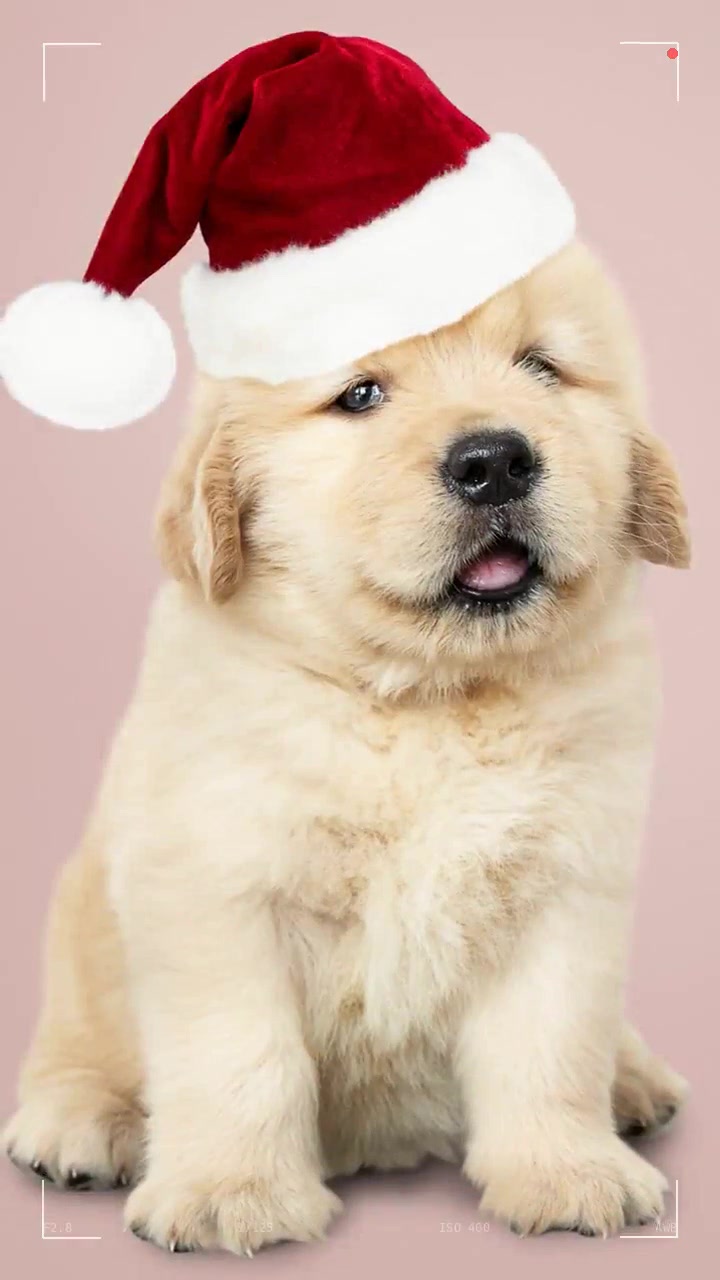 First photo
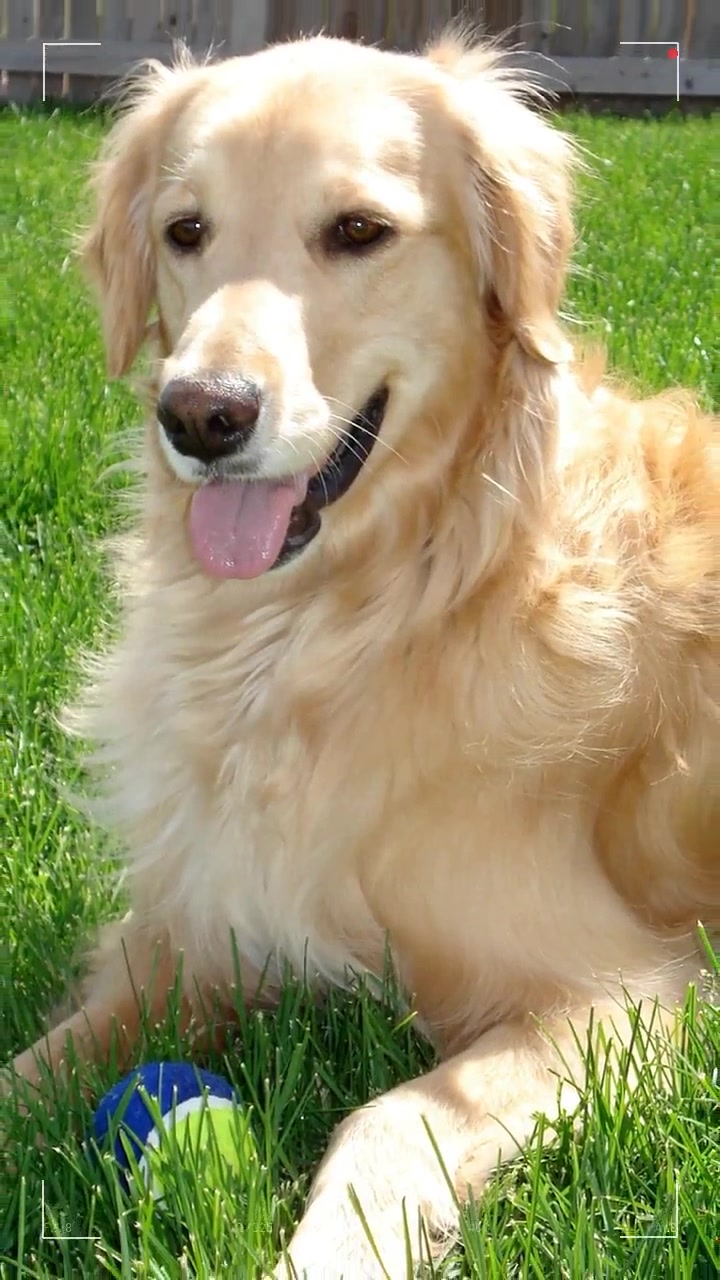 Last photo
These are the first and last photos of the video. Everything in between, the trotting, the growing and the change of scene, is made by the AI.
Puppy to Dog, Kitten to Cat and Other Pets
Choose "Pet" in the maker above and the AI moves your pet the way an animal moves. Here is what to expect for each kind of pet.
Dogs
The clearest change of all, especially for bigger breeds: a puppy that fits in two hands grows into a dog that fills the frame. Floppy puppy ears, short coats that grow long and a puppy face that gets longer all come through well.
Cats
A kitten to cat video works best when the coat pattern is easy to see in every photo, so tabby stripes, tuxedo bibs and calico patches match up. Photos at eye level beat photos from above, which make every cat look like a ball of fur.
Rabbits, guinea pigs and other small pets
They work too, but they change less in size, so the video tells more of a story than a growth spurt. Pick photos from different places and seasons, and get down to their level so their face fills more of the picture.
Horses, birds and reptiles
A foal to horse video can look great with side-on photos. Birds, lizards and turtles are harder for the AI because their faces change little and their poses vary a lot, so use your sharpest pet photos and redo any transition that looks off.
How to Pick Pet Photos That Work
Your pet photos decide most of the result. The AI keeps your pet looking like your pet when every photo shows them clearly: the same animal, sharp, at eye level, with the face toward the camera, from the first weeks to today. Blurry action shots, dark rooms and other animals in front of yours are what make a transition go wrong.
Where to find them
Search your phone for "dog" or "cat": iPhone Photos and Google Photos both sort pets into their own album. The adoption listing, the breeder’s first photos and old vet or daycare posts are often the best puppy or kitten photos you have.
One pet, the same pet
Use the same animal in every photo, and one pet per video. If another dog or a person is in the frame, crop around your pet so it stays the main subject.
Eye level, face toward the camera
Photos taken at your pet’s height, with both eyes visible, give the AI the most to work with. Avoid shots from the back or from straight above.
Sharp, bright and not too close
Skip blurry action shots and dark evening photos. A little room around the whole body morphs better than a nose filling the frame.
Quick Checklist for Pet Photos
- The same pet in every photo, one pet per video.
- Taken at your pet’s eye level, face toward the camera.
- Sharp and well lit, not mid-zoom or in the dark.
- The whole body or chest-up, not only the nose.
- At least 600 px on the short side; the original file, not a screenshot.
- Your pet at different ages: the first weeks, a few months, a year, today.
Gotcha Day, Birthdays, TikTok and Memories
The moments people make a pet growing up video for, and how to get each one right.
Gotcha Day
Mark your pet’s adoption anniversary, the day your dog or cat came home. Start with the shelter or rescue listing photo, end with a photo from this year, and post it on the day itself.
Pet birthdays
A first birthday is the classic puppy to dog moment: the change in one year is huge. For older pets, use one photo per birthday so the video becomes a yearly tradition.
TikTok, Reels and Shorts
Pick 9:16 so it fills the phone screen. Pet growing up videos, like a puppy turning into a grown dog, are a favorite on TikTok and Instagram; the music is already in, or add a trending sound in the app.
Remembering a pet
For a pet who has died, the video can run from the first day home to the last photos. Six to ten photos usually tell their story; download the MP4 to keep it.
Making one for a pet who has passed? Our memorial video guide covers gathering photos quickly, music and how long the video should be.
How to Make a Puppy to Dog Video
To make a puppy to dog video, choose "Pet", upload 2 to 32 photos from puppy to today and let the AI join them with real movement and music. It all happens in your browser: no app, no editing. The MP4 is ready in about 5 to 10 minutes.
1. Choose Pet and upload
"Pet" is already selected on this page. Add your photos in any order and pick the shape: 9:16 for TikTok, 1:1 for Instagram or 16:9 for a TV.
2. Check the order
The AI estimates your pet’s age in each photo and sorts them from youngest to oldest. Drag any photo to fix the order before you start.
3. Get your pet video
Each pair of neighboring pet photos becomes about 5 seconds of video, joined with music. Download the MP4 in about 5 to 10 minutes, or share a link.
Pet Growing Up Video Pricing
Pay once per video, with no subscription. A short puppy to dog video needs only a few photos.
First Taste
Try itSee the result before you go all in: one short video from 5 photos.
$4.90/ video
Photos
Up to 5 photos
- Up to 5 photos
- 4 transitions
- Redo any 2 segments
- Private and secure storage
- No watermark
- One per customer
Standard
Most popularOur proven model: smooth, natural transitions from start to finish.
$9.90/ video
Photos
- Up to 8 photos
- 7 transitions
- Redo any 5 segments
- Private and secure storage
- No watermark
- Continuous and pause-on-photo versions
Premium
Best resultsOur best engine, for the most lifelike faces and the sharpest motion.
$19.90/ video
Photos
- Up to 8 photos
- 7 transitions
- Redo any 5 segments
- Closer likeness to every photo
- Sharper, smoother motion
- No watermark
Pet Growing Up Video Questions
What pet owners ask before they make one.
How do I make a puppy to dog video?
Choose "Pet" in the maker, upload photos of your dog from puppy to today and press Create my video. The AI sorts them by age and makes each photo move into the next with real dog movement, then adds music. The MP4 is ready in about 5 to 10 minutes.
Can I make a kitten to cat video?
Yes. "Pet" works the same way for cats. Use photos where the coat pattern and face are easy to see, ideally at eye level, from the kitten weeks to today. The video moves your cat like a cat, with a stretch, a pounce or a stroll between photos.
Does it work for rabbits, horses or birds?
Pet mode works for any animal the photos show clearly, because the AI moves between your own pictures. Dogs and cats give the most visible change. Small pets change less in size, and birds and reptiles are harder, so use sharp photos and redo any transition you do not like.
How many pet photos do I need?
At least 2 and up to 32. Five to ten photos make a good pet growing up video of about 20 to 45 seconds, since each transition is about 5 seconds. More photos with smaller gaps in age give a smoother change from puppy or kitten to adult.
Will it show what my puppy will look like when grown?
No. It does not predict the future. The video moves between the photos you upload, so it ends on your most recent photo. To show your puppy as a grown dog, wait until you have adult photos, then make the video.
Can I make a pet memorial video?
Yes. Many people use it to remember a dog or cat who has died: upload photos from the first day home to the last ones and pick calm music. Download the MP4 to keep it, as the photos and video are deleted from our servers after 30 days.
Is there a free pet video maker here?
There is no free version. You pay once per video, with no subscription: First Taste is $4.90 for a short video from up to 5 photos (once per customer), Standard starts at $9.90 and Premium at $19.90. If you are not happy, you get a full refund within 30 days.
Can I post it on TikTok or Instagram?
Yes. Pick 9:16 for TikTok, Reels and Shorts, or 1:1 for an Instagram post. You get a finished pet video as an MP4 with music that you can upload as it is, or open in CapCut to add text and a sound.
Watch your pet grow up again
Upload your pet photos above and get your puppy to dog or kitten to cat video in minutes.